
Optional usage reporting
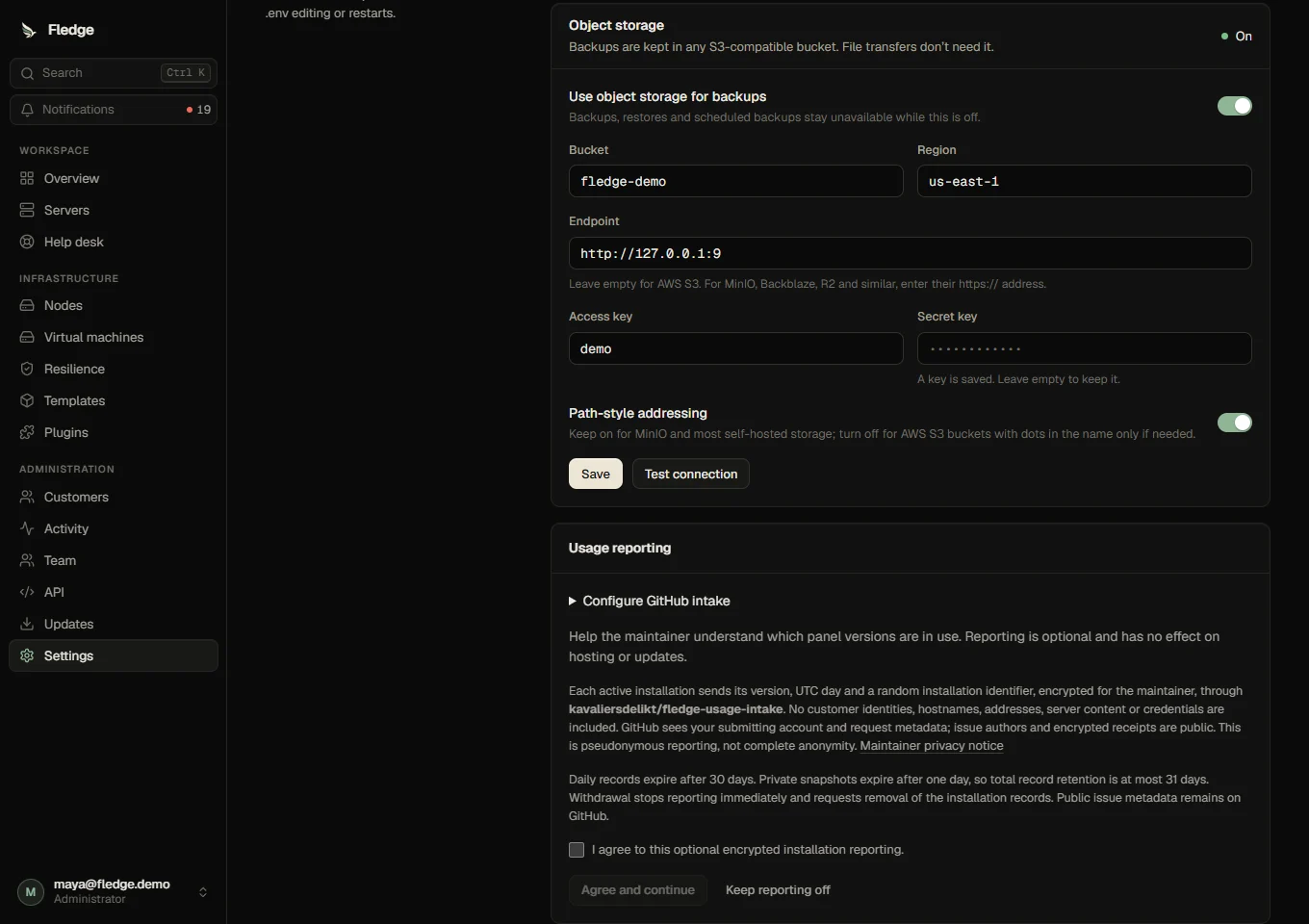
Reporting is off by default. A super-administrator can review the notice in Settings > Panel > Usage reporting, agree, then authorize the maintainer's GitHub App. Declining does not affect installation, updates or hosting. The intake's public repository, App Client ID and encryption key are built-in defaults and editable from this panel; no .env entries are needed. Tokens remain encrypted in the installation's database. They are never bundled with Fledge or sent to the maintainer.
Each consenting panel with authenticated API activity in the preceding day sends a random installation identifier, UTC reporting day and panel version. It sends no customer identities, IP addresses, hostnames, server counts, guest contents or credentials. One panel counts as one installation: these statistics do not count individual people or every Fledge installation. Reports are opt-in and self-reported, not a licensing or security measurement.
The report uses RSA-OAEP SHA-256 and AES-256-GCM authenticated encryption. Only the collector's private key can read it. GitHub still sees the submitting GitHub account and request metadata, and public issue authors, timestamps and encrypted bodies are visible. This is pseudonymous, not complete anonymity. See GitHub's privacy statement. The maintainer must publish their identity, contact details, purpose, recipients and retention notice in the intake repository before enabling it. Consent must remain a free choice and withdrawal must not disadvantage the operator; see the EDPB consent guidance.
GitHub-only collection
Use two repositories: a dedicated public intake with issues enabled, and an owner-controlled private dashboard. Do not grant dashboard access to people who should not read the records. There is no external telemetry service or shared credential inside installations.
- Create a GitHub App, enable its device flow, and grant only repository metadata read and Issues read/write. Install it only on the public intake. The panel uses its public client ID; users authorize their own accounts. Expiring device-flow tokens refresh using the client ID, without distributing the app secret. Follow GitHub's device-flow documentation and refresh documentation.
- For a fork, generate an RSA key pair of at least 2048 bits on a trusted computer, for example
openssl genpkey -algorithm RSA -pkeyopt rsa_keygen_bits:3072 -out usage-private.pemandopenssl pkey -in usage-private.pem -pubout -out usage-public.pem. Keep the private file outside source control and only put it in the private collector's Actions secret. In the fork's Settings > Panel > Usage reporting, set its public repository, App Client ID and base64-encoded public PEM. The private key is never entered in Fledge. - Copy
shared/usage-envelope.ts,scripts/usage-collector.mjsand.github/workflows/usage-collector.ymlinto the private dashboard repository. The workflow refuses to run in a public repository. Set repository variablesUSAGE_INTAKE_ENABLED=trueandUSAGE_INTAKE_REPOSITORY=owner/intake. Store the PEM private key as Actions secretUSAGE_PRIVATE_KEY; the built-in repository-scoped Actions token can read the public intake. An optionalUSAGE_INTAKE_TOKEN, restricted to intake issues, can close processed receipts. It stays only in private Actions secrets. - Run Private usage dashboard manually once, then leave its six-hour schedule enabled. Download the private
usage-stateartifact and opendashboard.htmllocally. Its summary shows today, seven-day and thirty-day installation counts, versions and daily totals. Do not publish the artifact to Pages or a public repository.
The private workflow fetches encrypted receipts incrementally, verifies and deduplicates identifier/day pairs, saves private state before any optional receipt closing, and preserves the newest version even when an older receipt is retried. Public intake encryption does not prevent someone fabricating reports; treat counts as adoption estimates.
Withdrawal and retention
Stop reporting and request removal immediately disables new heartbeats. A single encrypted removal request deletes that installation's records from the next collector dataset; a tombstone prevents old receipt replays. If GitHub is unavailable, the panel retries removal for up to seven days, then erases its stored reporting credentials and identifier. The operator can also revoke the app in GitHub. Public issue metadata and encrypted bodies remain subject to GitHub retention.
The collector keeps a rolling 30-day dataset. Artifact snapshots expire after one day, so raw record retention is at most 31 days. GitHub workflow summaries contain only aggregate counts. Records are not committed to Git history. After withdrawal, earlier private snapshots can retain the removed record until their one-day expiration. If collection stops for more than a day, its artifact state expires and historical continuity is lost; new collection starts a fresh dataset. Changing the intake, app or public key requires reviewing consent again. Drain the intake before rotating its key.
For a fork, configure your own repositories, App and published privacy notice before inviting operators to authorize reporting. The setup below is already available for this project.
Maintainer dashboard for this project
The private dashboard repository and encrypted public intake are configured. Open Private usage dashboard Actions, select the newest successful run, and download usage-state. Extract the archive and open dashboard.html; the workflow summary also contains aggregate counts. The repository stays private and does not publish a Pages site.
The workflow's first real setup test processed an encrypted heartbeat and withdrawal successfully, leaving zero active installations. Public receipts remain encrypted on the intake; an incremental update cursor avoids recounting old receipts. A token restricted to intake issue write permission is optional for closing receipts, and is not necessary for aggregation.
Reporting is preconfigured for this project with the public Client ID Iv23liWdrHRZYLU5ZtGY and intake encryption key. Device flow has been verified. Read the published privacy notice; the maintainer/contact route is the GitHub account and public intake issue tracker. Existing installations receive these defaults with the panel update and need no environment changes. Sending remains disabled until their super-administrator expressly agrees and authorizes GitHub. The app needs only public intake issue permission and installation on that intake; the panel never receives the maintainer's collector key or repository credentials.