
Servers and console
Servers lists every server you can access: administrators see all, customers their own plus servers shared with them. Each server has tabs; which ones you see depends on your permissions.
| Tab | Needs | What it does |
|---|---|---|
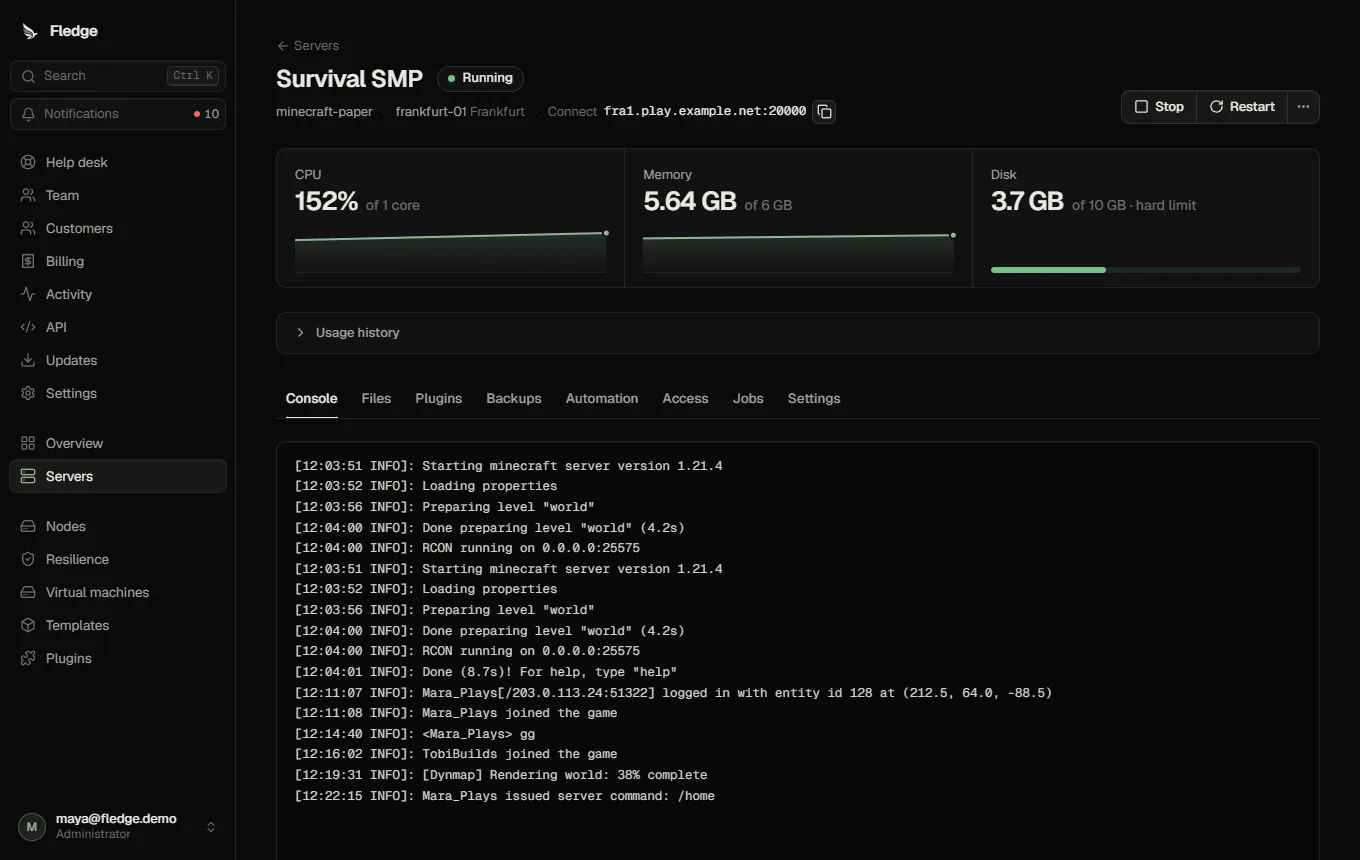
| Console | console | Live output, command input, resource gauges, connection address |
| Files | files | File manager |
| Mods / Plugins / Add-ons | files | Add-ons, when the template supports them |
| Backups | backups | Backups and restore |
| Automation | manage | Schedules, crash protection |
| Access | manage | Invite collaborators and set their permissions |
| Jobs | view | Recent jobs sent to the node and their results |
| Settings | manage | Startup variables, resources, startup panel, network and extra ports, danger zone |
Creating a server
Administrators create servers (Servers → New server): choose the customer, a template and resources (defaults come from the template), optionally a node or location and a fixed base port. Fledge picks a node with enough reserved capacity and actual free disk, and reserves the ports. When no node fits, the error lists why each node was rejected.
Customers cannot create servers themselves; their provider does, within the customer's quota.
Power actions
| Action | Effect |
|---|---|
| Start / Stop / Restart | Graceful. Minecraft is stopped through RCON or the console pipe (see Console and stopping) |
| Kill | Immediate; use only when a server does not stop |
| Suspend / Unsuspend | Administrator. A suspended server is stopped and cannot be started or changed by its owner |
| Clone… | Administrator, in the More menu next to the power buttons: Clone a server |
| Reinstall | Administrator. Deletes the server's data and recreates it (needs confirmation) |
Stopping a server from the panel is never treated as a crash by crash protection.
The console
The console streams the container's log and sends one line to the game per command. History is kept across tabs and reconnects. For Minecraft the panel uses authenticated RCON when it is available and falls back to the console pipe while the server is still starting; other games receive the line on standard input, so they must support console input that way. See the WebSocket used by the browser.
Collaborators
On the Access tab, invite an existing customer with some of view, console, files, backups, manage. They see the server in their own list. manage includes the other permissions.
Deleting
Settings → Danger zone → Delete server removes the container, its data and its allocations. Backups in object storage are retained according to their retention.