
Sign-up
By default only administrators create accounts. Settings → Customers, store and email → Sign-up lets people create their own, the way a hosting business needs. It is off until you turn it on, and it needs working email to send confirmation links.
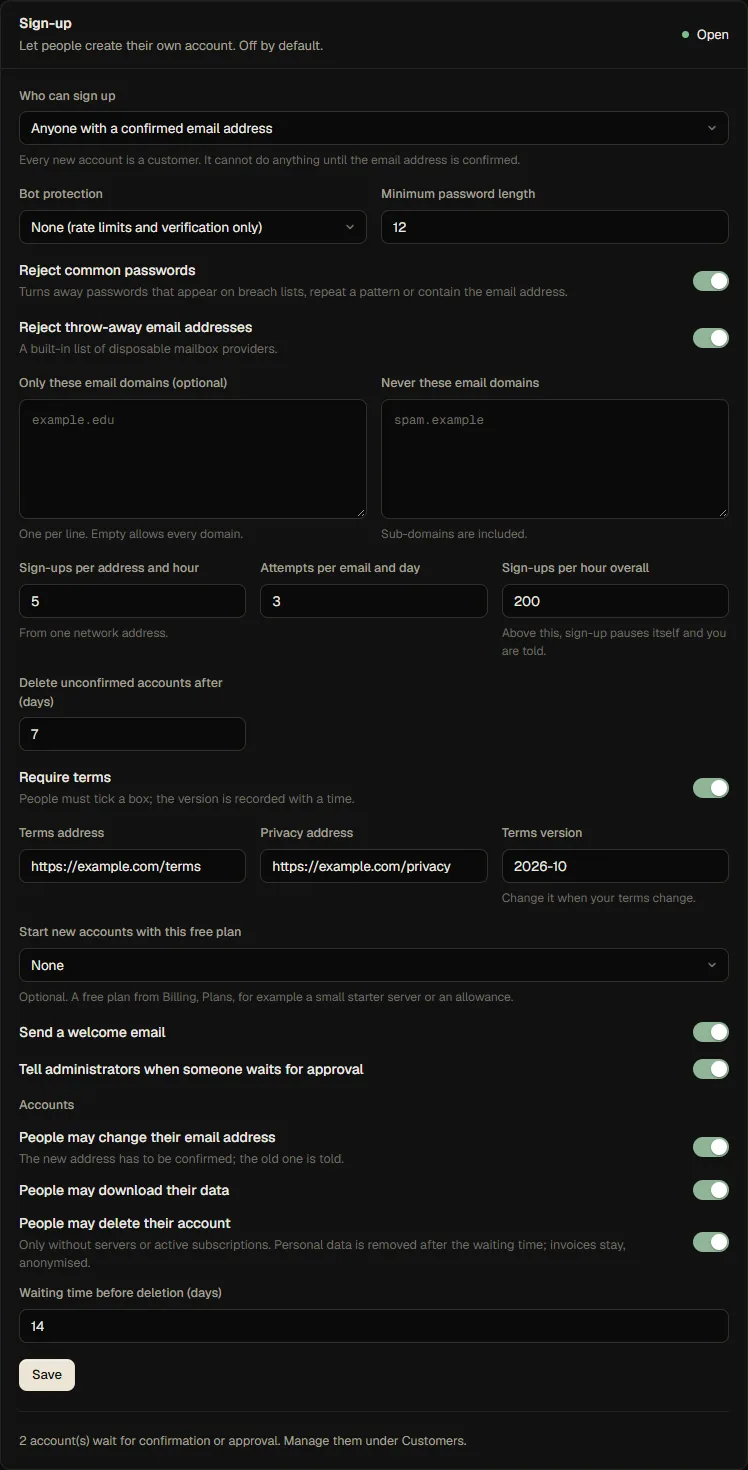
Who can sign up
| Mode | What happens |
|---|---|
| Off (default) | Nobody can register; the sign-in page has no "Create an account" link |
| Open | Anyone with an email address they can confirm |
| With approval | Anyone, but an administrator has to approve each account after the address is confirmed |
| Invite only | Only people with an invitation code or link |
Everyone who signs up becomes a customer. The role is fixed by the server; nothing in the request can make an account an administrator.
What the person goes through
- They fill in email, password and (if you require it) tick the terms. A bot check can be added.
- Fledge creates the account in a waiting state and emails a confirmation link (valid 24 hours). Until the link is used the account cannot sign in, owns nothing and can create nothing.
- Using the link confirms the address. In Open and Invite only mode the account is active at once; in With approval mode it waits for you, and you are notified (a notification and, if set, an email to your copy address).
- The welcome email is sent, and a free starting plan is granted if you set one.
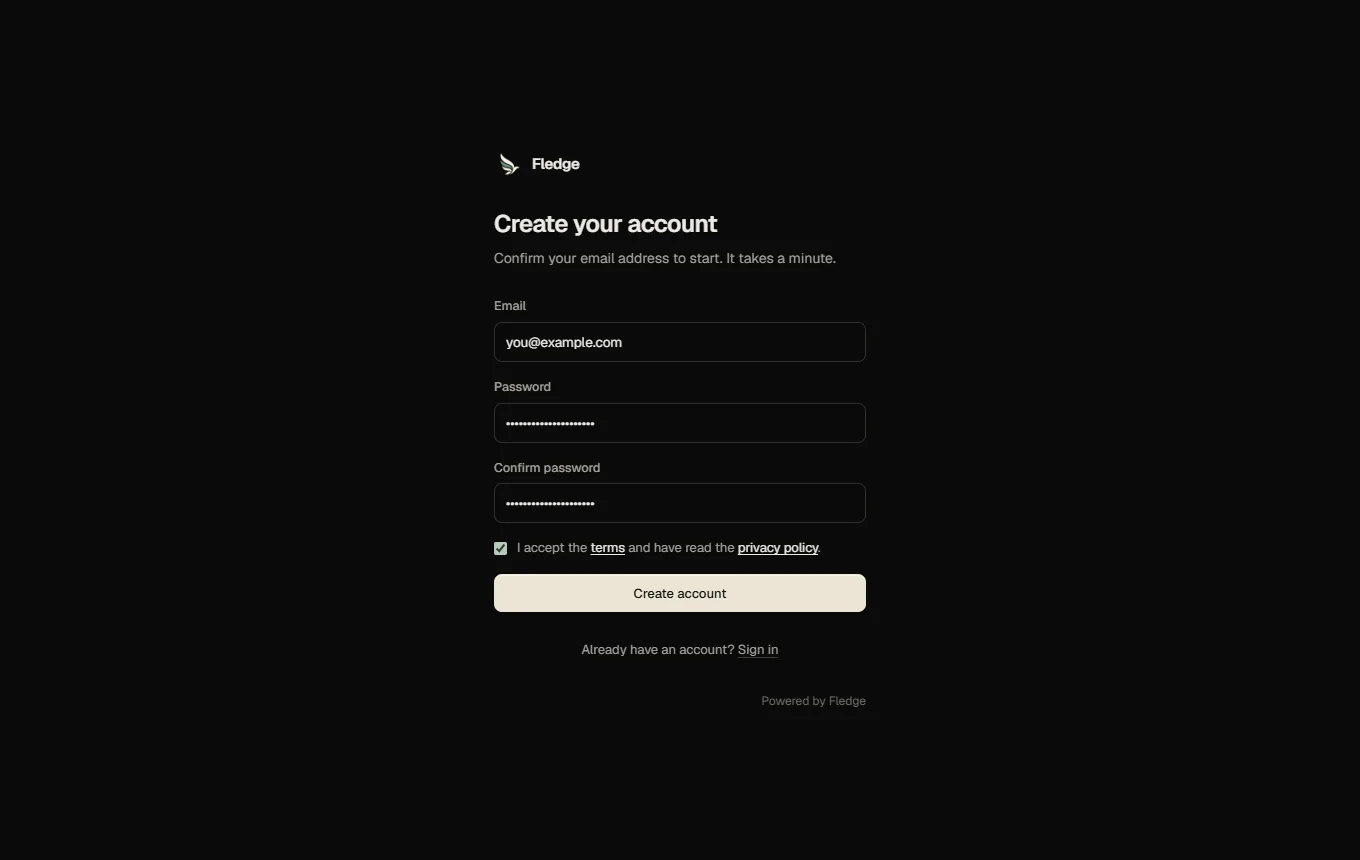
Asking again for an address that already exists never reveals that: the answer looks the same, and the owner of the existing account gets an email saying someone tried to register with their address. Registering a still-unconfirmed address again sends a fresh link (only the newest link works).
Protection against abuse
All of this is on by default once sign-up is on, and every limit can be changed.
| Protection | Default |
|---|---|
| Registrations from one network address | 5 per hour |
| Attempts for one email address | 3 per day |
| Registrations overall | 200 per hour. Above that, sign-up pauses itself, you get a notification, and it resumes when the hour passes |
| Confirmation emails per address | 3 per hour |
| Password | At least 12 characters (you can raise it to 128). Common passwords, repeating patterns, simple sequences and passwords containing the email address are refused |
| Throw-away email providers | Refused (a built-in list of disposable mailbox services) |
| Hidden form field and form timing | Silent traps for simple bots |
| Unconfirmed accounts | Deleted after 7 days |
Only attempts that pass every check count towards the limits, so mistyping a password never locks anyone out.
Bot protection. Choose Cloudflare Turnstile or hCaptcha, enter the site key and the secret key from the provider, and the sign-up form shows the check. The answer is verified by the API. The panel's content security policy allows scripts and frames from these two providers' domains and nothing else; they are only loaded on the sign-up form.
Domains. Only these email domains limits sign-up to, for example, your school or company. Never these email domains blocks domains and their sub-domains.
Terms. With Require terms on, people must tick a box that links your terms and privacy pages. Fledge records the terms version you set, the time and a hash of the network address (not the address itself) on the account. Change the version when your terms change.
Invitations
In Invite only mode, create codes under Settings → Sign-up → Invitation codes: optionally for one address, with a note, a number of uses (1 to 10,000) and a lifetime (1 to 365 days). The code and the link are shown once and stored hashed. A code can carry a starting plan. Revoke an invitation any time.
Waiting accounts
Customers shows a Waiting for you card with everyone who is not finished:
- Has not confirmed their email yet: Resend link, Mark confirmed (you vouch for the address) or Decline.
- Waiting for your approval: Approve (they get an email) or Decline (they get an email and the account is removed).
The person's own account
Under Settings → Your account, customers can:
- Change their email address. They enter their password, a link goes to the new address, and nothing changes until it is used. The old address gets a notice.
- Download their data as a JSON file: account, servers, subscriptions, invoice summaries, orders and sessions.
- Delete their account. They enter their password. It is refused while they still have servers or active subscriptions. After a waiting time (14 days by default, 0 for immediately; they can cancel meanwhile) the account is anonymised: the address, password, two-factor secret, passkeys, sessions, tokens and notification channels are removed. Invoices and orders stay without personal data, as accounting often requires.
Each of the three can be switched off in the sign-up settings.
Emails
Sign-up sends Verify your email address, Welcome, Address already registered, Waiting for approval, Account approved, Account declined, Email address changed, Confirm your new address and the deletion notices. All are editable.
API
GET /api/signup/config (public), POST /api/auth/register, POST /api/auth/verify, POST /api/auth/verify/resend, POST /api/auth/email/confirm, and for administrators GET /api/signup/pending, POST /api/customers/:id/approve|reject|mark-verified|resend-verification and /api/signup/invites. See the API reference.
Limits to know
- Sign-up is one panel, one pool of customers: there is no separate sign-up page per domain.
- Verification is by email only. There is no phone or identity check; use approval mode or a captcha if abuse is a concern.
- The disposable-address list is built in and not exhaustive. Add domains to the block list as you meet them.