
Plans
A plan is something you sell or give away. Billing → Plans (administrators) is where you make them. Billing appears in the sidebar once a payment provider is chosen, a plan exists or the store is open.
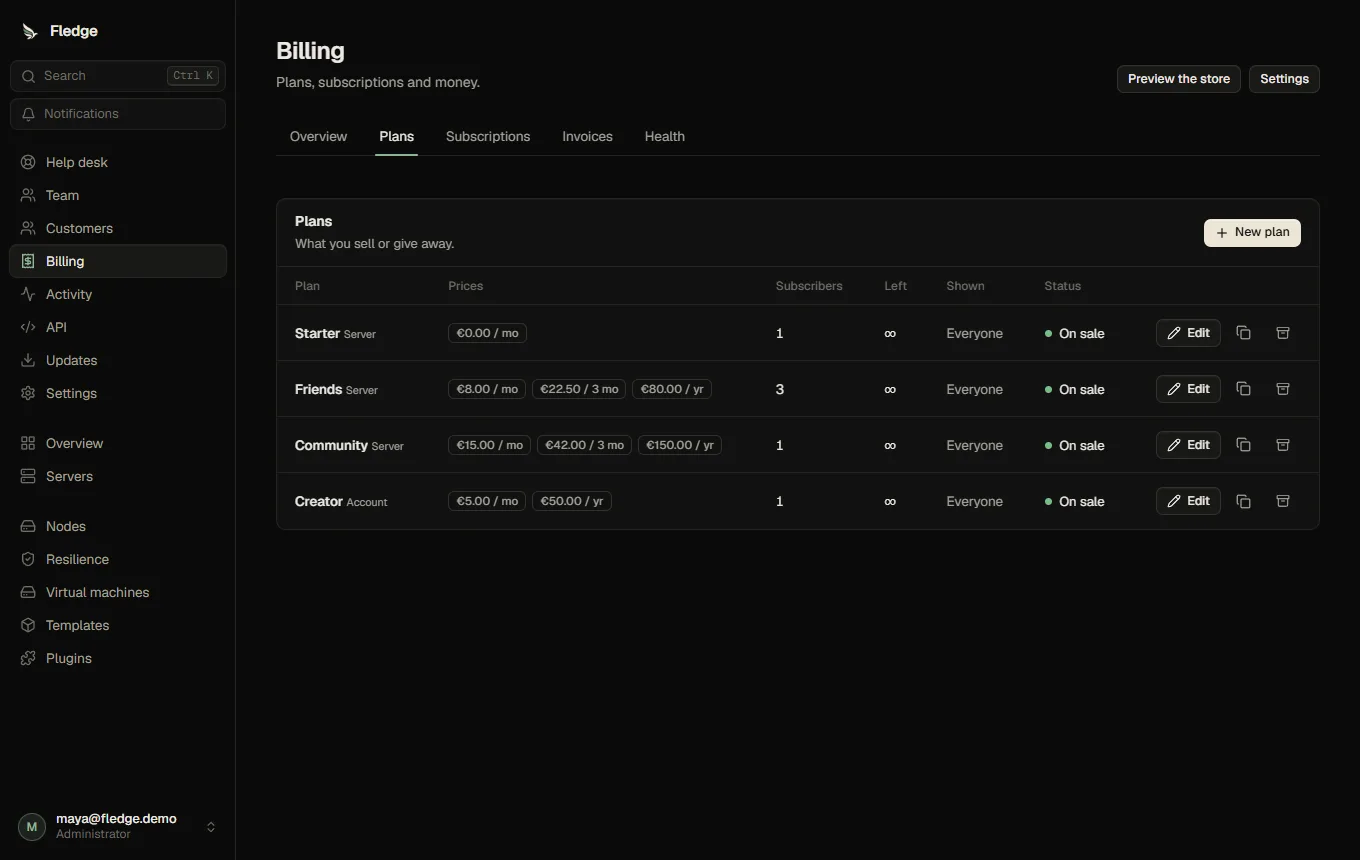
There are two kinds:
| Kind | What a subscription gives |
|---|---|
| Server plan | One server with fixed resources (a preset). The subscription creates it and its life cycle follows the subscription: suspended when unpaid, stopped when it ends |
| Account plan | An allowance added to the customer's limits: more servers, more memory, more ports, permissions. The customer spends it themselves |
A plan has prices, optional trial, a stock, per-customer maximum, visibility and some words and highlights for the store card.
Making a plan
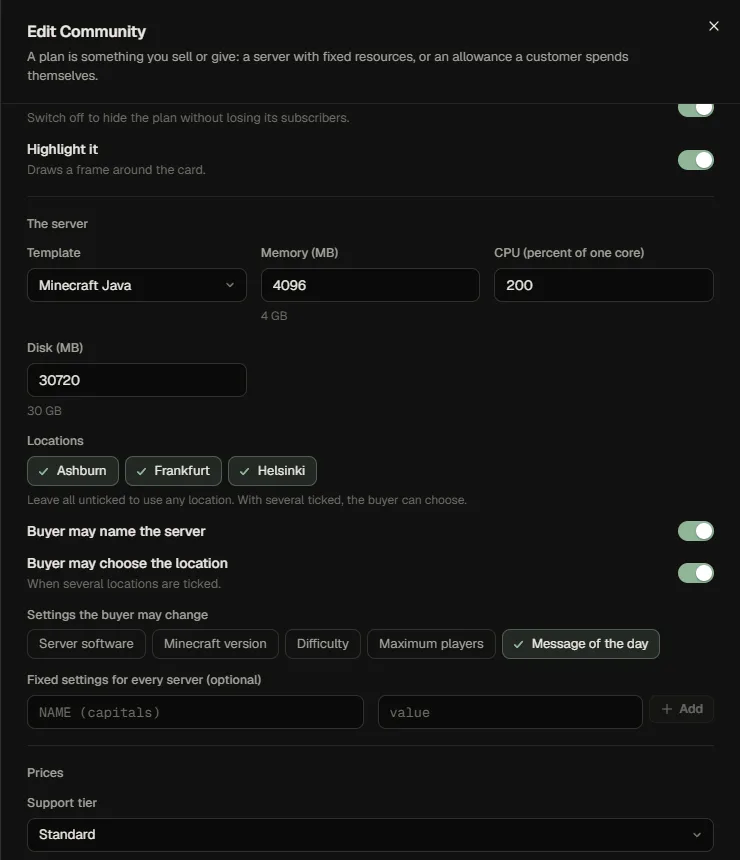
Basics. Name, description, up to 12 highlight lines, who sees it in the store (everyone, only people with the link, or nobody: you hand it out yourself), a badge such as "Most popular", whether it is on sale and whether its card is framed.
A server plan's server. The template, memory, CPU and disk; the locations (none ticked means anywhere; several lets the buyer choose); whether the buyer may name the server and choose a location; which of the template's settings the buyer may change (for example the message of the day); and fixed settings every server gets.
An account plan's allowance. The same limit editor as for customers. Only what you fill in is added. May create servers is an explicit permission used by the Account plans self-service mode; without it, this plan adds its allowance but does not unlock self-created servers. The mode uses the plan's template and location limits, and customers create fixed-size servers using the published template defaults. A customer-level denial can still block the permission.
Account-plan entitlements apply while a subscription is trialing, active or past_due (payment grace). Suspended, canceled and terminated subscriptions no longer grant permissions or allowances. Servers customers created using the grant remain their own and are not deleted when the plan ends.
Prices. For each interval you offer (monthly, every 3 months, every 6 months, yearly) an amount, an optional trial (days) and an optional one-time setup fee. Prices are in one currency per row; add more currencies in Settings → Billing. A price of 0 makes the plan free: no payment step, the customer just claims it. Amounts are kept as whole cents, never as decimals, so nothing is rounded or drifts.
Availability. Stock is how many subscriptions may exist at once. An unfinished checkout holds stock for a while (24 hours by default) so two people cannot buy the last one; a customer's own earlier unfinished checkout is replaced when they start a new one. Per customer limits how many of the plan one person may hold. Keep data after it ends overrides the panel's retention for this plan. One free trial per customer stops a second purchase from starting a second trial.
Prices are never edited in place
When you change a price, Fledge creates a new price for new customers and keeps the old one for the people who already subscribed, so what a customer agreed to stays what it was. Identical prices are kept as they are. The customer's current price is shown on their subscription.
Archive, duplicate, delete
- Duplicate copies a plan as a hidden, switched-off draft.
- Archive hides a plan from the store but keeps its records; existing subscriptions keep running.
- Delete is only possible for a plan that was never used.
What the store shows
The store shows a plan as a card with the price for the chosen interval ("€8.00 / month", "save 17%" for yearly), the trial and setup fee if any, the size of a server plan, your highlights and "Only 3 left" when stock is low. A plan whose server cannot fit on any node is shown as sold out until capacity returns, and checkout refuses it before any payment.