
Account suspension
Suspension pauses customer access while keeping sign-in, billing, security and data access available. Block sign-in remains a separate hard lock.
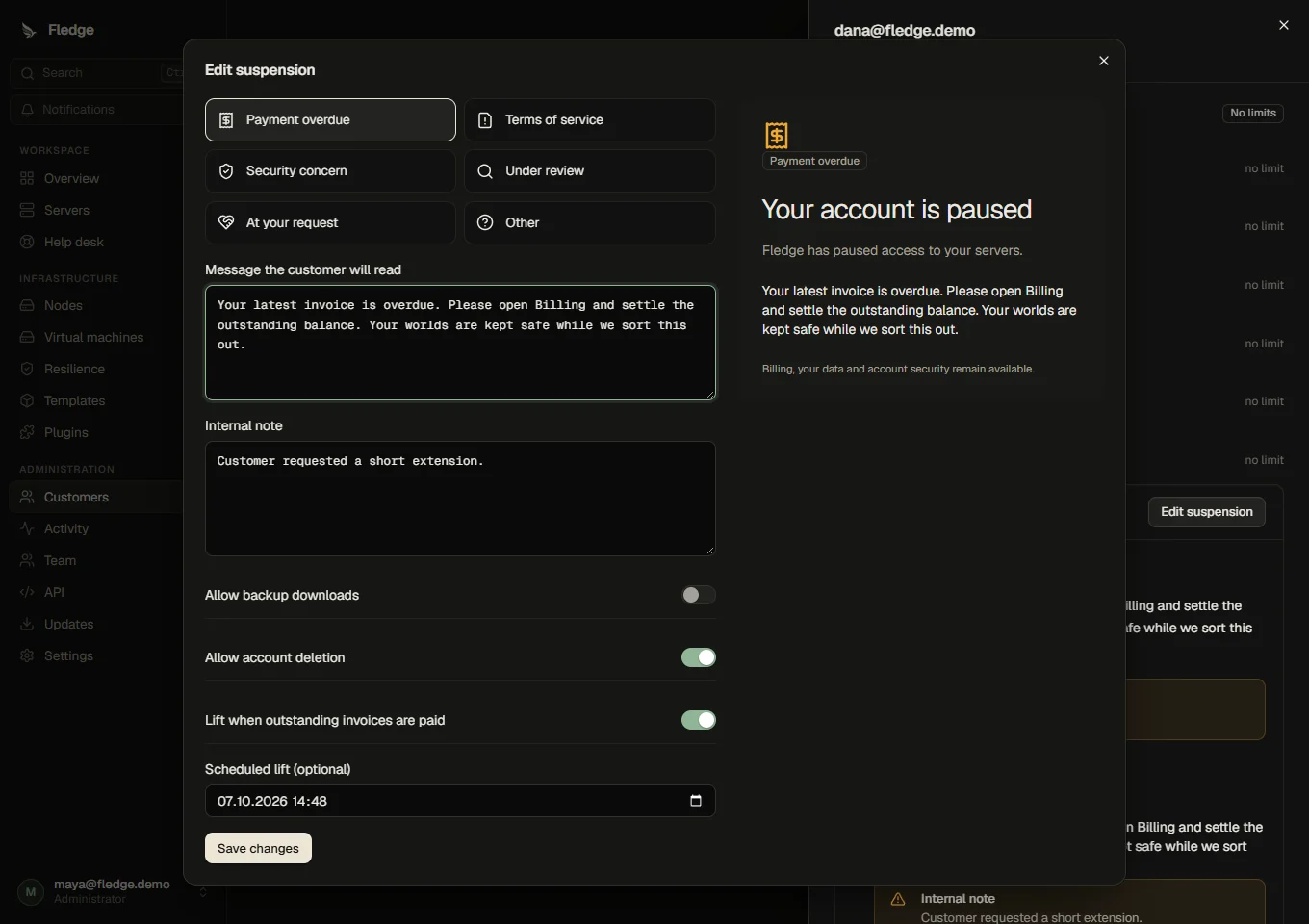
Suspend an account
Open Customers, select the customer, then Suspend account. You need customers.suspend. Choose payment, terms, security, review, their request or another reason. The reason selects the tone and a starting message. Edit that message; the adjacent preview shows what the customer will read. Internal notes stay with administrators.
Stopping servers is the default and uses the normal clean stop job. You can leave servers running, allow backup downloads, prevent account deletion, suppress the initial email or schedule a lift. Payment suspensions can lift when every overdue payment is settled. The reference can be copied and quoted to support.
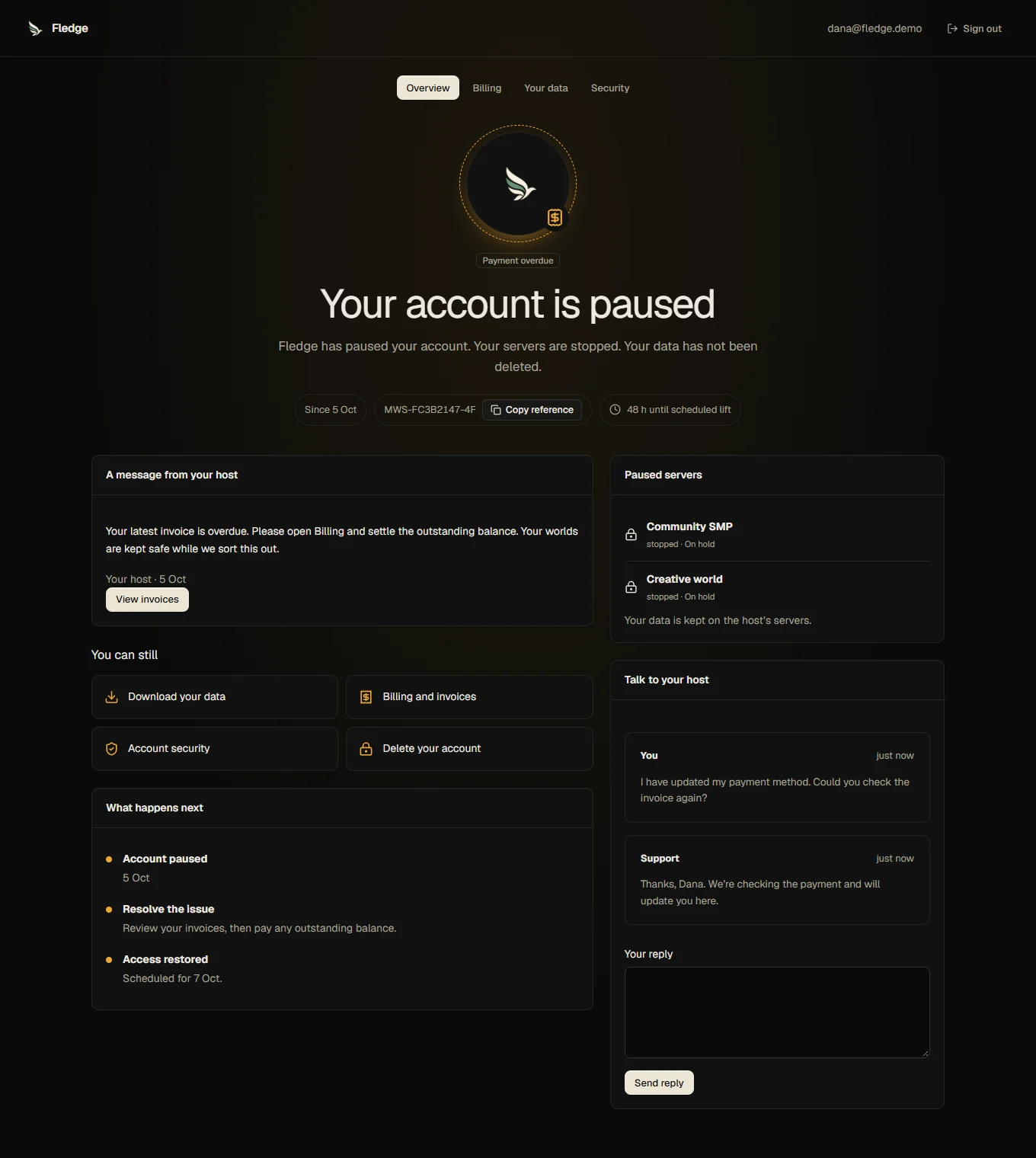
What customers can do
The workspace becomes a dedicated shell, including when they follow an old server link. It provides billing and invoices, a restricted payment portal when the provider supports it, data export, permitted account deletion, password changes, passkeys and signed-in devices. Purchases, plan changes, server operations, console streams, SFTP and API tokens are refused. Backup downloads require the per-suspension option.
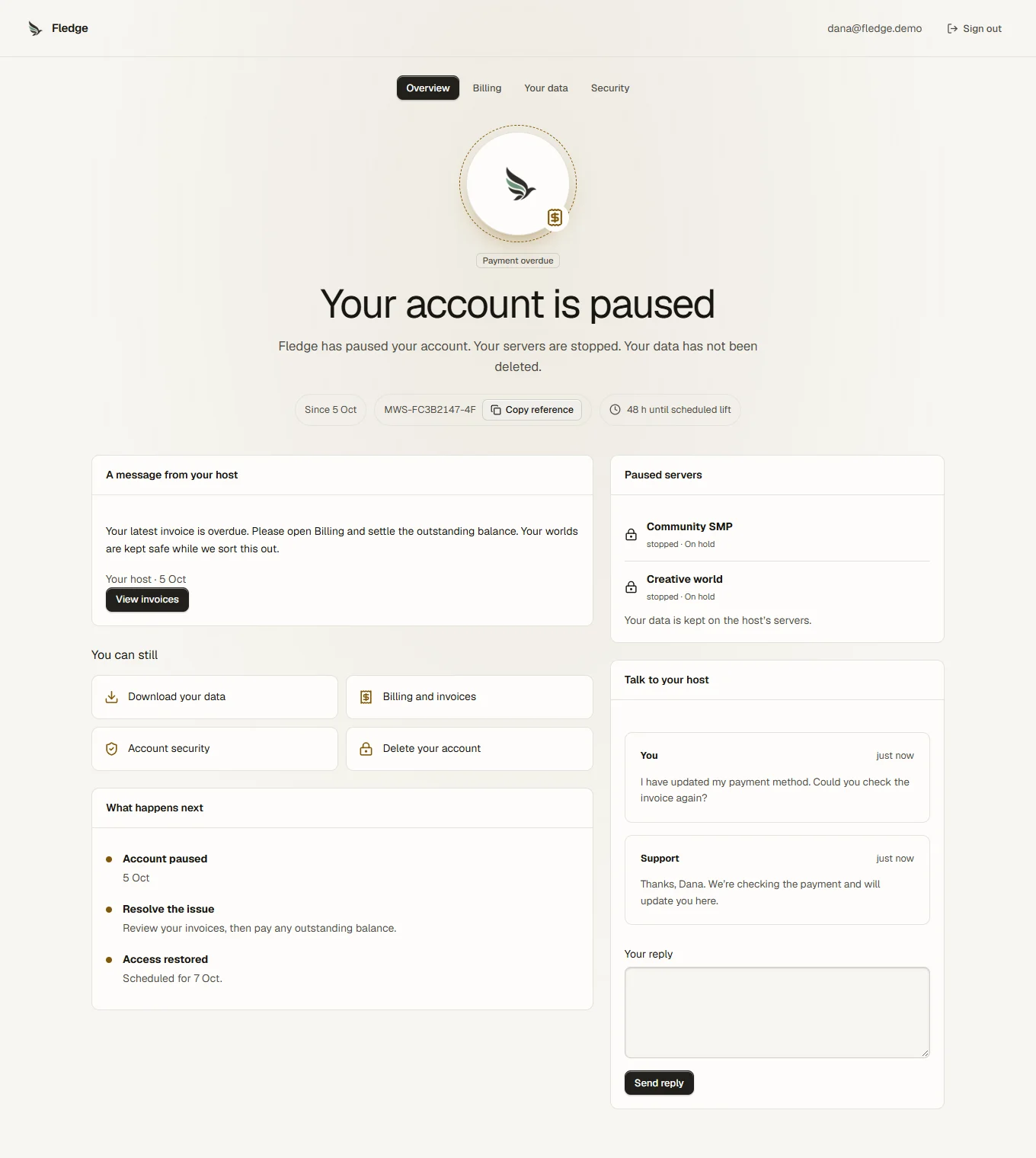

Appeals and history
Talk to your host creates one urgent ticket tied to the suspension. This works with the general help desk disabled. Later messages continue that ticket. A solved or closed appeal can be reopened while the suspension is active, subject to the appeal setting and daily limit. Customers cannot open other tickets or see internal notes while suspended. Replies also reach their inbox and the configured email outbox.
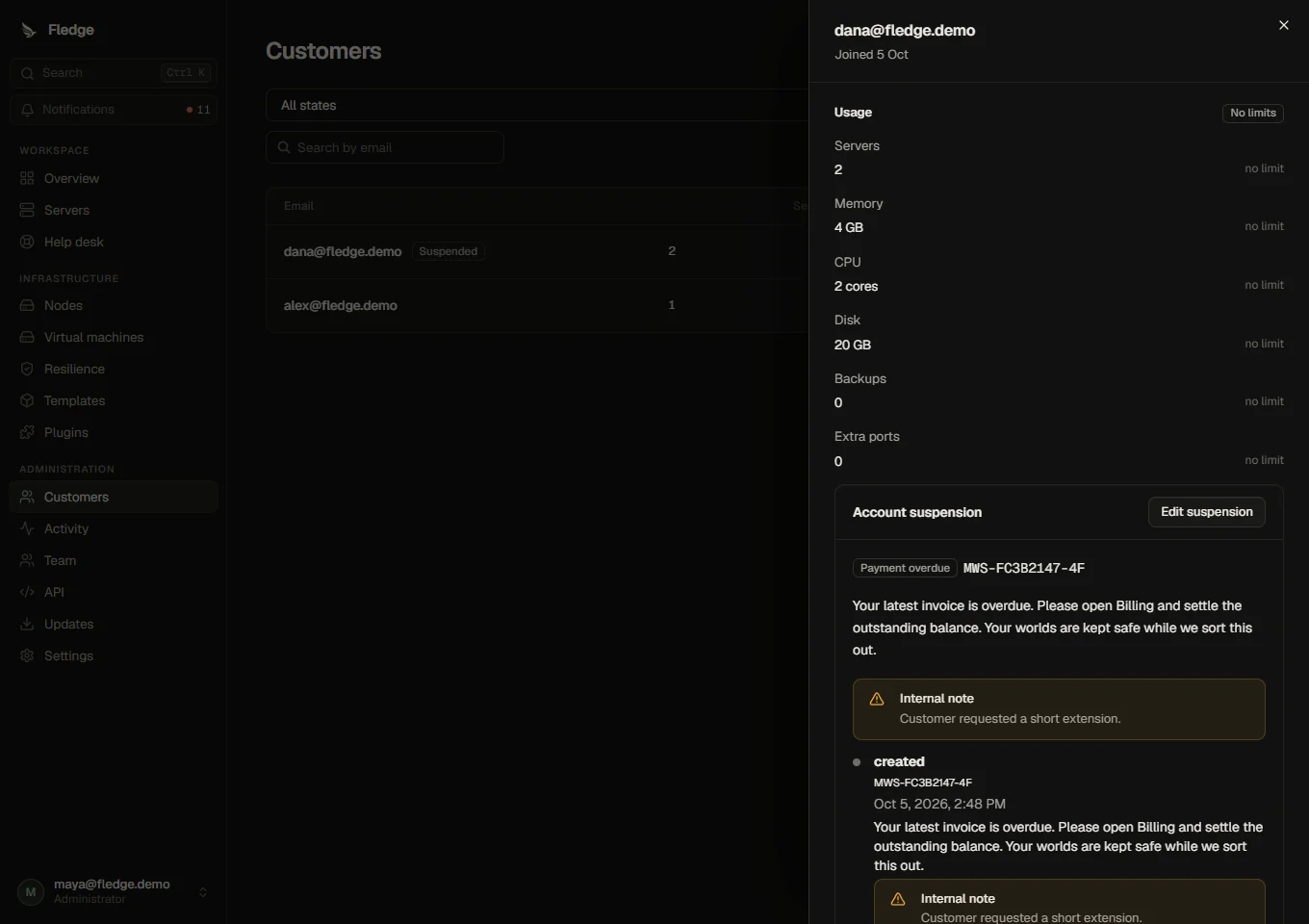
The customer drawer contains the message, internal note, events, editing and lifting controls, and a link to the appeal. Each suspension keeps its own history.
Lift and retain
Lift manually, at the scheduled date, or after payment for a payment-linked suspension. Only account-held servers are released, and only those previously running are restarted. An administrator hold or an unpaid billing hold survives. Billing releasing its hold first leaves the account hold in place. Paid orders wait for the account lift before provisioning.
Desk settings → Suspension controls appeals, default stopping and retention. Zero retention days keeps servers indefinitely. A retention date normally sends an administrator reminder. Explicitly enabling termination schedules only account-held servers for deletion through the existing two-hour cooling path. Lifting during that period cancels the account deletion schedule; other holds are preserved.
The optional Settings → Billing whole-account late-payment switch is off initially. Existing server-only dunning remains the default.
See API endpoints, support and administrator permissions.