
Account security
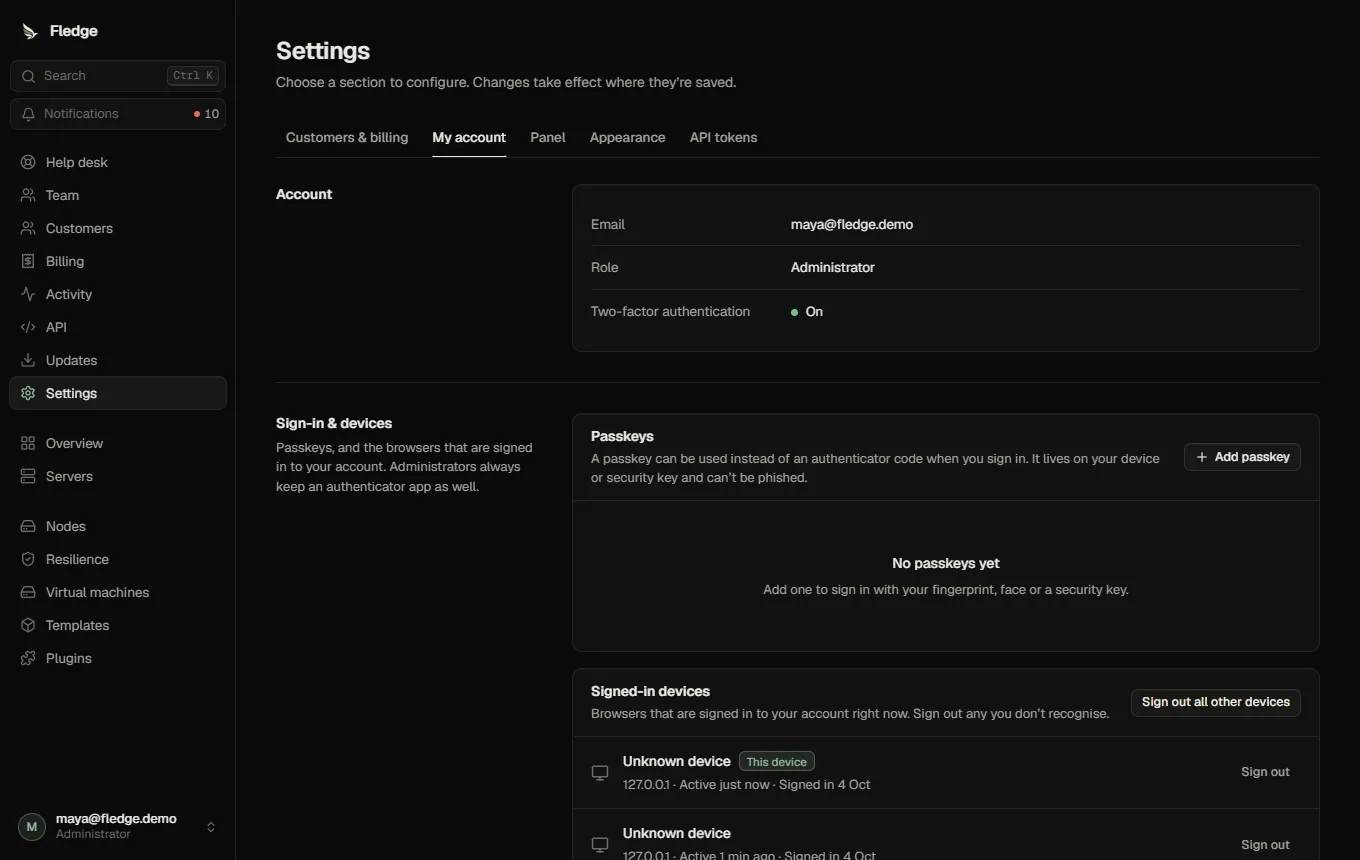
Two-factor sign-in
Administrators must use two-factor authentication: the first sign-in enrols an authenticator app (TOTP) and shows recovery codes once. Store them offline. The panel enforces two-factor for administrators; the same routes exist for every account.
Sign-in is stepwise: password first, then a short-lived challenge you complete with a code or a passkey. Failed second factor attempts are limited per account (10 failures per 15 minutes), and each challenge allows only a few tries.
Recovery codes are one-time: using one resets the password and two-factor so you can enrol again.
Passkeys
A passkey (a security key, phone or platform authenticator) can replace the authenticator code as the second factor. Add them under Settings → Account → Passkeys, with names to tell them apart; the browser asks for a gesture to register. Passkeys are bound to the panel's origin (WEB_ORIGIN, or WEBAUTHN_RP_ID / WEBAUTHN_ORIGINS for unusual setups). Administrators can add passkeys but keep the authenticator as well; a sign-in then offers a choice.
Passkeys were verified in tests with a software authenticator; keep your authenticator app and recovery codes until you have tried your own devices.
Signed-in devices
Signed-in devices lists your sessions with browser, address and last activity. Sign any of them out, or sign out everywhere else. Changing your password signs out every other device.
API tokens
Administrators create tokens (Settings → API tokens) with scopes:
| Scope | Allows |
|---|---|
read | Reading your identity, customers, servers, templates and jobs |
provision | Creating customers and servers |
suspend | Suspending and unsuspending servers |
A token is shown once. Tokens cannot reach nodes, files, backups, settings, deletion or token management, and when a request carries a token it never inherits browser privileges. Tokens are subject to the administrator IP allow-list and are revoked when the account's password is reset. See Authentication.
Passwords and resets
Passwords need at least 12 characters. With email configured, Forgot password emails a one-time link (valid one hour). Administrators who reset their password still need their authenticator.
Rate limits
Sign-in, recovery and other sensitive endpoints share PostgreSQL-backed rate limits, so they hold across API replicas. Details: Errors, paging, limits.