
Nodes
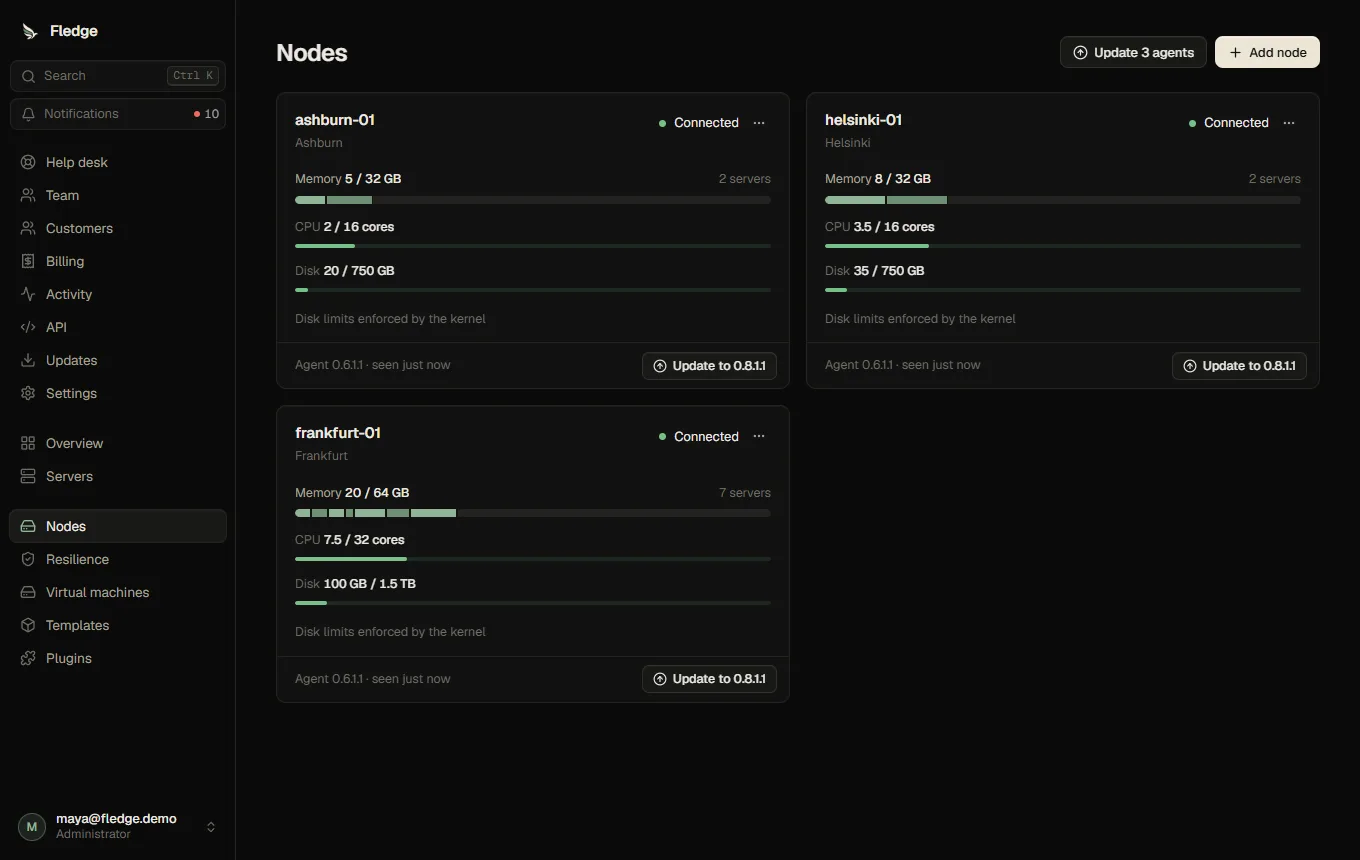
A node is a Linux host with Docker and the Fledge agent. Nodes (administrators) lists them with status, last heartbeat, reserved versus total capacity, free disk and agent version.
Register and connect
- Add node: name, location label (used for placement and failover preferences), memory (MB), CPU (%), disk (MB) and an optional headroom (memory kept free for the host).
- Connect a node creates a one-time enrollment token (valid ten minutes, shown once) and the connector command to run on the host. See Connect a node.
- The node is connected when it heartbeats; it becomes disconnected after 35 seconds without one. Game containers keep running on their own.
Creating a new enrollment token invalidates the old agent credential immediately (rotation).
Capacity and placement
A server's memory, CPU and disk are reserved against the node's capacity at creation. The node card shows reserved memory split per server. A node is eligible when it is connected, not draining, has enough reserved capacity and enough actual free disk.
Draining, editing, removing
- Draining stops new servers from being placed there.
- Edit name, location, capacity, headroom and public address (shown in SFTP credentials and connection hints).
- Remove is only possible for an empty node; it revokes the node's credentials.
- Evacuate / Empty node (on the Resilience page) moves every server off a node with a planned move.
Agent updates
Nodes report their agent version. When a newer one is available, Update to x.y.z.w appears; Update N agents updates all, and Update node agents automatically does it unattended. See Agent updates.
Per-node settings in Settings
SFTP on/off and port, the image allow-list and disk-limit enforcement mode apply to all agents; see Settings.