
Notifications
The bell in the header opens your inbox. Channels send the same events elsewhere.
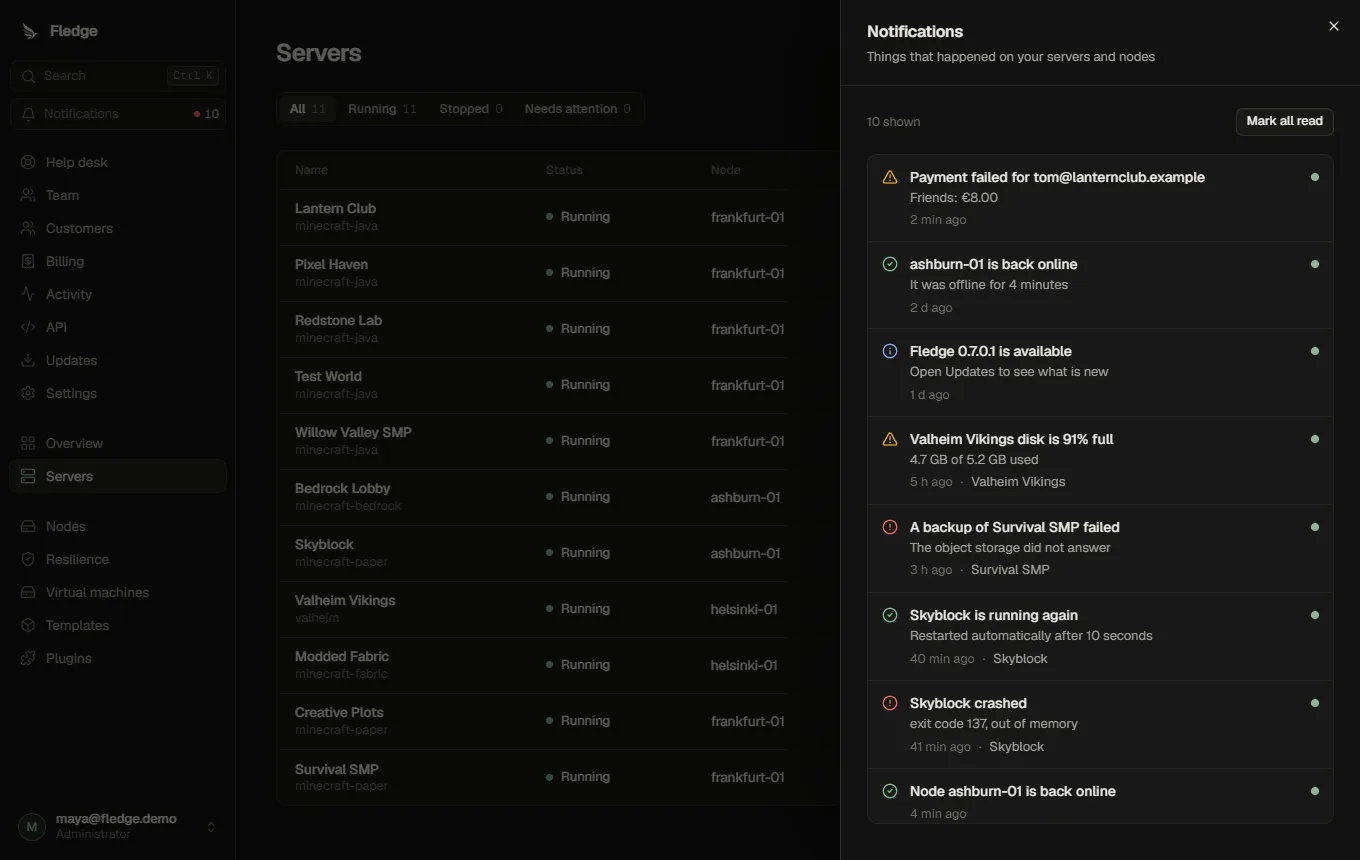
Events
The complete, generated list with scopes and severities is in Notification events. In short: crashes and crash loops, recoveries, almost-full disks, failed backups and verifications, failed schedules, failed add-on installs, failover starting or blocked, new customers waiting for approval, failed customer payments, paid servers that could not be created, payment disputes and billing health problems, nodes going offline or online, failed agent updates, new Fledge versions and plugins that were switched off.
Repeats are suppressed: the same condition (a node staying offline, a disk staying full) notifies once, not on every check.
Channels
Add channels under Settings → Notifications:
| Channel | Delivers to |
|---|---|
| Discord | A Discord webhook URL (set-up guide); plain text, or colour-coded embeds with the Better Discord Notifications plugin |
| Slack | A Slack incoming webhook URL |
| Webhook | Any HTTPS endpoint; a JSON body that is also Slack- and Mattermost-compatible (see Webhook payloads) |
| An address, using the configured email settings |
Step by step for Discord, including what the messages look like, how mentions are blocked and how to fix a failing channel: Discord and webhook notifications.
Each channel chooses which events it receives and, optionally, which servers. Send test checks a channel; the channel shows its last delivery status and error.
Webhook URLs are stored encrypted and are never shown again after saving.
Customers
Customers have their own inbox and channels for events about their servers. Their webhooks must be public HTTPS URLs (private addresses and plain HTTP are refused), and their email channel can only target their own address. Administrators' channels may use internal addresses, for example a Mattermost server on your LAN.
Tuning
fledge_notification_channels_failingin metrics counts channels whose last delivery failed.- Inbox entries are kept for a limited time and trimmed automatically.
Mews events and recipients
Selectable events cover suspension creation, edits and lifting; appeals and replies; retention scheduling and cancellation; ticket assignment, agent replies, status changes, reopening, ratings and abuse reports. VM events cover confirmed provisioning, failed power operations, installation changes, snapshots, restore, migration outcomes and storage warnings. The event reference is generated from the shipping catalogue and lists scope, severity and required grants.
Account and ticket events identify their recipients directly. They do not need a server association. Customer inboxes and external payloads exclude private notes, internal suspension reasons, reporter details and secrets. Administrator channels are checked against the recipient administrator's current grants; changing permissions affects pending delivery too.
Events follow committed database transitions or confirmed agent outcomes. Inbox deduplication and durable delivery records prevent sweeps or repeated job acknowledgements creating new deliveries. Generic webhooks receive a stable Idempotency-Key on retries. External delivery is at least once: receivers should deduplicate that key; Discord cannot guarantee exactly-once delivery after an ambiguous timeout.