
Backups and restore
Backups need object storage. Without it the Backups tab explains what to turn on.
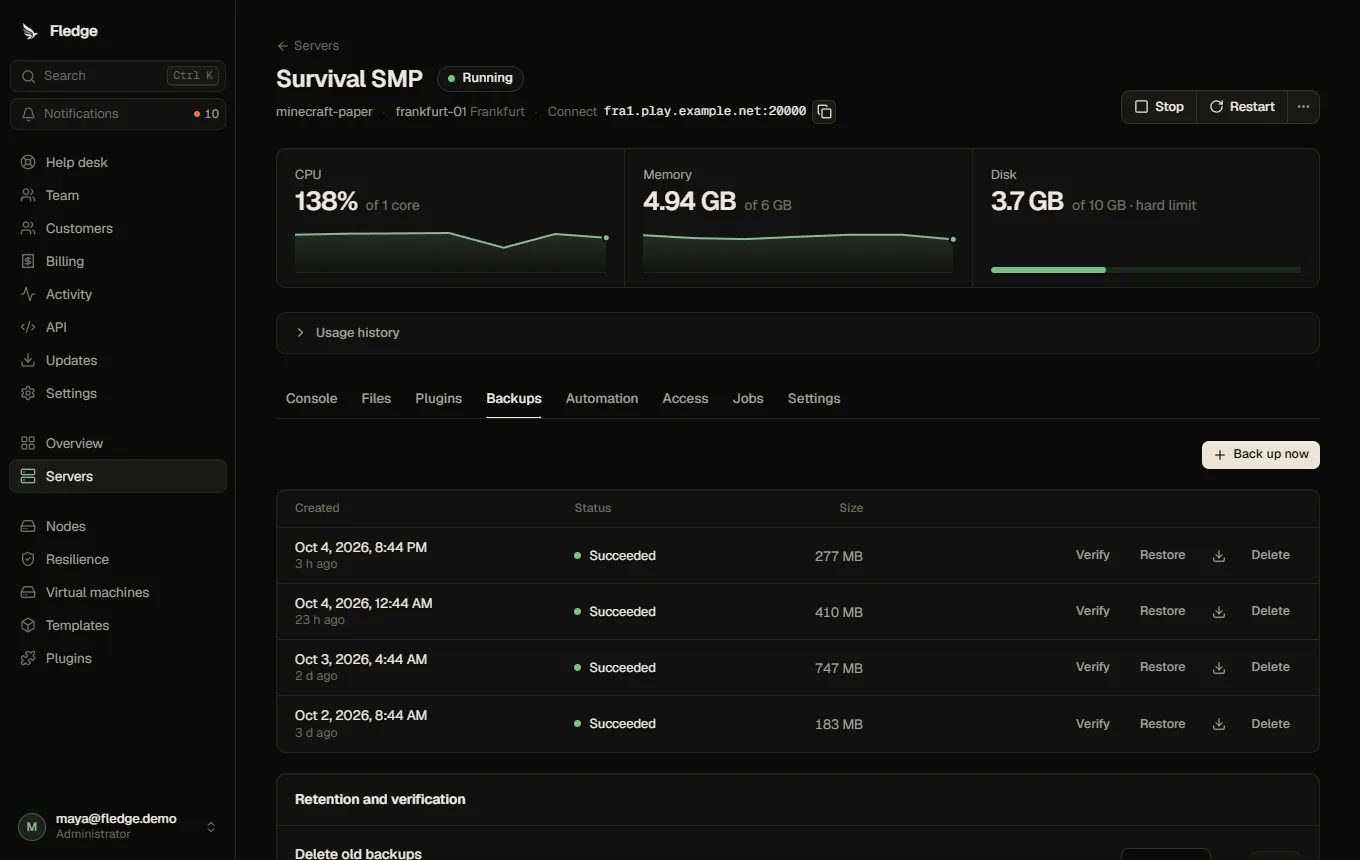
Taking a backup
Backups → Back up now queues a backup job. A running server on a node with disk limits is backed up from a frozen snapshot of its volume without stopping (Minecraft first flushes and pauses world saving); elsewhere the game is stopped cleanly for the archive. The list shows state, size and age; archives are verified after upload.
Backups count against the customer's backups quota when one is set. Schedules can take backups automatically, and a schedule step can take one before a restart.
Retention
Retention (days) per server deletes automatic backups older than that. 0 keeps everything. Manual backups you want to keep forever stay when you set retention only for automatic ones.
Restoring
Restore on a backup overwrites the server's files with the archive (it asks you to confirm). Files are staged and swapped into place. Restore a backup of a different server only by cloning: see Clone a server.
Verification
Verify on a backup downloads that archive and checks its integrity now. An administrator can also turn on scheduled verification (Retention and verification card), which downloads each new archive and checks integrity and safe extraction. It does not boot the game; do a real test restore now and then.
Failover
Failover restores the newest backup on another node when a node dies, so backup age is the data you can lose. The Resilience page shows each server's backup age.