
Settings
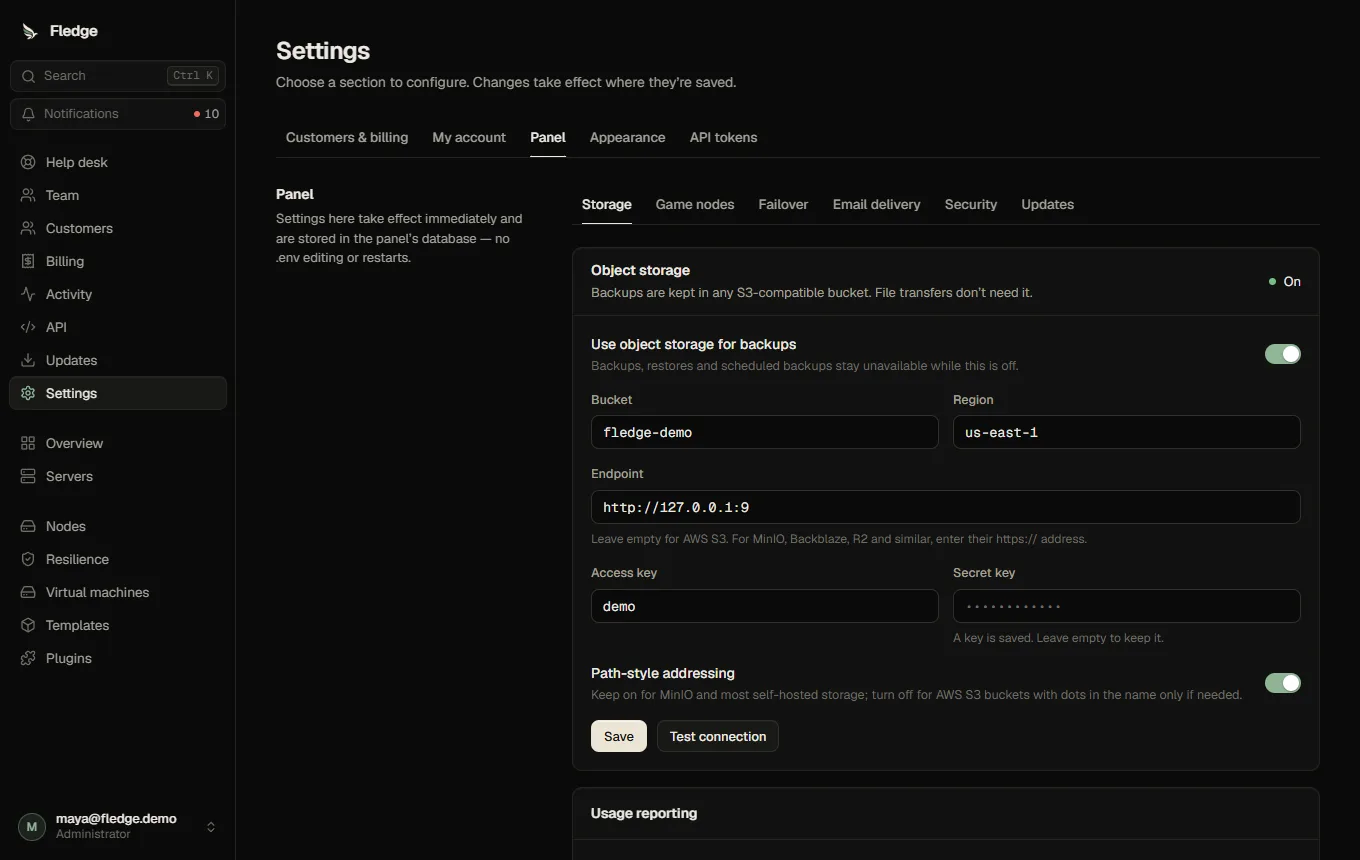
Settings is grouped into tabs so administrators can jump directly to Customers & billing, Panel, Appearance or API tokens instead of scrolling through every form. The customer-hosting and panel configuration tabs have their own section tabs; unsaved forms stay mounted when you switch sections. Everyone has personal settings for sign-in, notifications and account data. Everything here is stored in the database; secrets are encrypted with ENCRYPTION_KEY, and changes apply without a restart.
| Card | What you configure |
|---|---|
| Customers & billing → Sign-up | Whether people can create accounts, with confirmation, approval, invitations, bot protection and abuse limits. See Sign-up |
| Customers & billing → Server access | Whether customers can create and delete their own servers. See Customers creating servers |
| Customers & billing → Limits | Defaults, enforce or warn, overrides. See Limits |
| Customers & billing → Billing | Payment provider, currencies, late-payment schedule, what customers may do. See Billing and subscriptions |
| Customers & billing → Store | Opening the store, who is selling, terms, tax. See The store |
| Customers & billing → Email | The words of every email and the delivery log. See Email templates |
| Panel → Object storage | Bucket, region, endpoint, access key and secret for backups, with Test connection; scheduled backup verification |
| Panel → Game nodes | Applied to every connected node within seconds: the allowed Docker images (one prefix per line; templates and nodes refuse anything else), SFTP on/off and port, and disk limits mode (Require enforcement refuses to run servers on nodes that cannot enforce) |
| Panel → Failover | See Failover: wait time, parallel recoveries, location preference, backup age limit, self-fencing, stale-copy retention, optional webhook |
| Panel → Email delivery | SMTP for invitations, reset and email channels, a reply-to and copy address, the sending rate and retries; Send a test email (save first). See Email |
| Panel → Security | The administrator IP allow-list and the audit retention. The editor shows the address the API sees for you and refuses a list that would lock you out. ADMIN_IP_ALLOW_DISABLE=true is the break-glass switch |
| Panel → Updates | Where the panel and node agents look for new versions (a GitHub repository, or your own download URL with VERSION, SHA256SUMS and fledge-agent_linux_{amd64,arm64}), and automatic agent updates |
| Appearance | The panel's name, logo, colours, font, sign-in page, sidebar links and announcement. See Appearance |
| My account → Notifications | Your notification channels |
| Plugins (on the Plugins page) | Registry URL, trusted keys and Allow community plugins. See Using the store |
Administrator IP allow-list
When set, administrator accounts and administrator API tokens only work from the listed addresses or ranges (for example 203.0.113.7 or 10.0.0.0/8, IPv4 and IPv6). Customers are not affected. Everyone else sees a clear "restricted to specific networks" message. Behind a proxy, TRUST_PROXY must be set or the API only sees the proxy's address.
Your account
See Account security for two-factor, passkeys, devices and API tokens. The account menu (bottom of the sidebar) also lets you choose Light, Dark or Match this device for yourself, unless an administrator turned that off under Appearance.