
Crash protection
When a server that should be running stops on its own, crash protection restarts it with growing pauses, and gives up (and tells you) if it keeps crashing. Configure it on Server → Automation → Crash protection. It is off by default for existing servers.
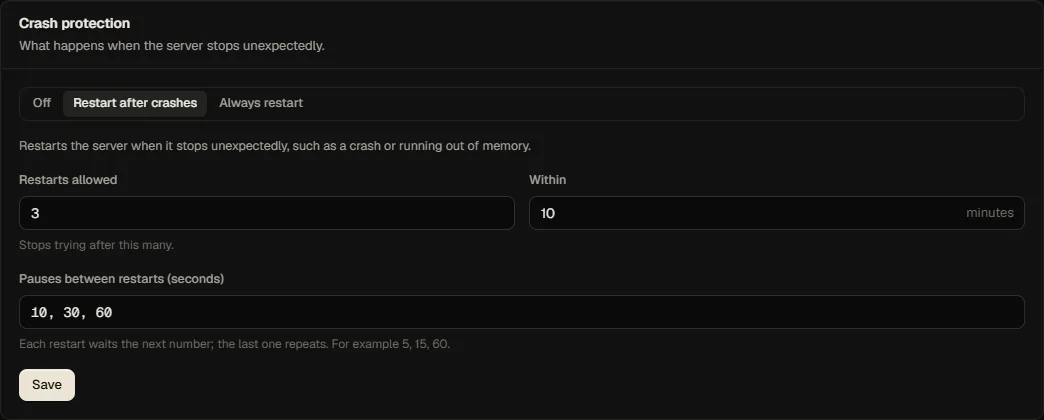
| Setting | Meaning | Range (default) |
|---|---|---|
| Mode | off; on-failure restarts after a failed exit; always also restarts after a clean exit | off |
| Max restarts | How many automatic restarts are allowed within the window | 1 to 20 (3) |
| Window (minutes) | The period the restarts are counted over | 1 to 1440 (10) |
| Backoff (seconds) | Pauses before the 1st, 2nd, 3rd... restart; the last value repeats | 1 to 10 values of 5 to 3600 (10, 30, 60) |
What counts as a crash
The node reports the container's exit. Crash protection acts when the server's desired state is running and the container failed (or, in always mode, stopped). Stopping, restarting, suspending or killing from the panel, or from a schedule, is never a crash.
Crash loops
If the server crashes more than max restarts times within the window, automatic restarts stop: the server stays down and a server.crashloop notification is sent. A manual start from the panel clears the loop state. A crash followed by a healthy start raises server.recovered.
Exit information
For every crash the panel records and shows the exit code, whether the kernel killed the process for memory (out of memory), the finish time and the last lines of the log (up to 4000 characters). They are also included in the crash notification. The same tab lists them under Recent events (crashes and automatic restarts).
Limits
Crash protection reacts to the container's exit. It does not notice a game that hangs without exiting.